
ShiftKey Keyboard4.3.3 - App Store
You'll be able to see results in few seconds.
Publisher Description
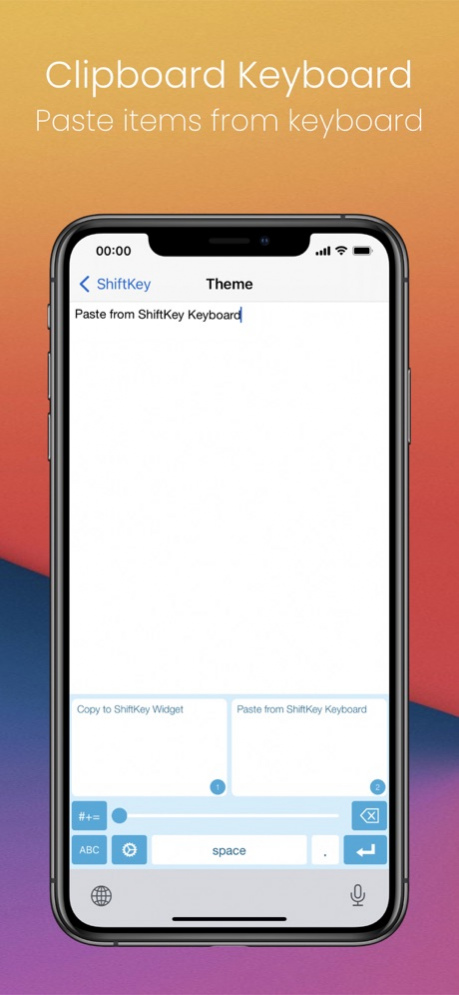
Enhance your typing experience by adding missing features on top of stock keyboard (Now with ShiftKey Clipboard Widget).
!!!!!IMPORTANT!!!!!
"Allow Full Access" is no longer required. Happy typing :)
Please be aware that custom keyboard is not eligible to type into any secure text input object like password field as it is designed by Apple.
***** App Store Review *****
"I really did not need or want many of the fancy swipe features in a lot of the new keyboards. This app gives the keyboard all the things Apple frankly should have put in there in the first place ... finally an easy way to see lowercase and no more having to switch to type numbers. Life is better now."
"Effective 5 row keyboard. Useful swipe gesture ... Much better than other alternate keyboards with similar features."
***** TOP FEATURES *****
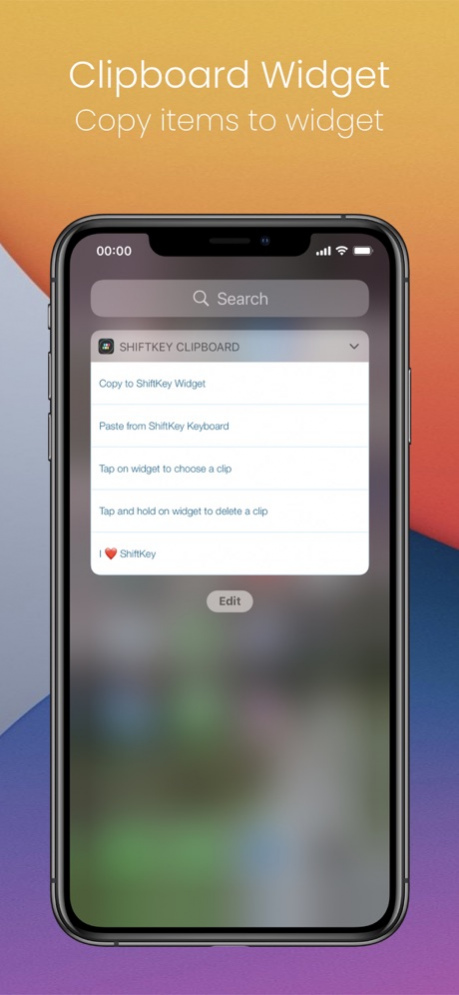
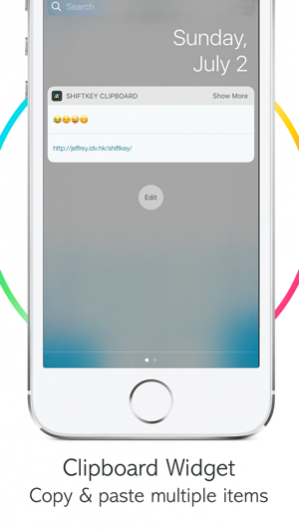
- ShiftKey Clipboard
How to use:
1. Swipe down on your iPhone & iPad to bring up widget page
2. Add ShiftKey Clipboard Widget
3. When you copy a text/emoji, swipe down to save the item in ShiftKey Clipboard automatically*
4. You can tap the widget item to select the text or by tap symbol key, then clipboard key on ShiftKey Keyboard
5. Extra: You can tap and hold the widget item to remove the item in ShiftKey Clipboard
* You can save up to 100 items in Shiftkey Clipboard. With Clipboard Management, you can easily add, delete, rearrange and search your clips.
- Colorful themes for ShiftKey keyboard
- Customized keyboard setting
- Haptic feedback with native keyboard click sound when typing on ShiftKey keyboard
- Show 5 rows with a number row on top
- Press shift key to switch the display of uppercase & lowercase
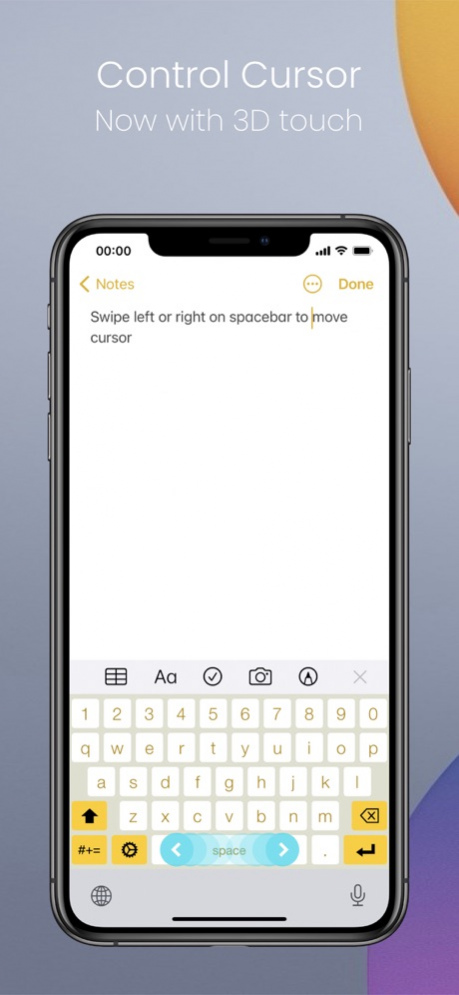
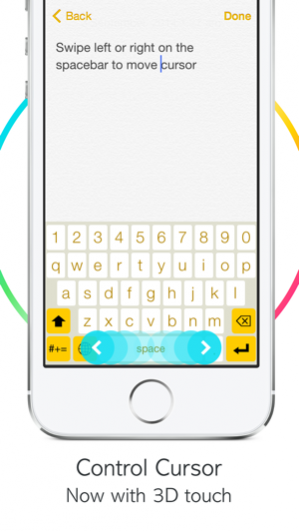
- Swipe left or right on the spacebar to control cursor (now with 3D Touch)
- Swipe left to delete words
- Swipe right to undo deleted word
- Swipe up to hide word prediction and suggestion row
- Swipe down to dismiss ShiftKey
- Integrated with custom shortcuts that defined in "Settings > General > Keyboard > Shortcuts"
- Support for more keyboard layouts (QWERTY, AZERTY, QWERTZ, QZERTY & Spanish)
- Light weight and made by Swift.
- Support all type of iPhone/iPad
- Support Multi-Language
• Danish
• German
• English (Australia)
• English (Canada)
• English (United Kingdom)
• English (India)
• English (United States)
• Spanish
• French
• Italian
• Dutch (Netherlands)
• Portuguese (Brazil)
• Portuguese (Portugal)
• Russian
• Swedish
• Turkish
More themes and enhancements are coming, hope you like ShiftKey!
INSTRUCTION:
To enable the keyboard, please go to Settings > General > Keyboard > Keyboards > Add New Keyboard... and choose ShiftKey.
Oct 6, 2020 Version 4.3.3
- iPad UI bug fixes and improvements
What’s New in 4.3:
- If the iPhone model already have the globe key, the ShiftKey Keyboard globe key will change to settings key (double tap to open the ShiftKey App)
- Updated to support all iPhone & iPad model
- Optimized to support iOS 14
- Removed Ads in ShiftKey App, happy typing :)
About ShiftKey Keyboard
The company that develops ShiftKey Keyboard is Cho Fai Wong. The latest version released by its developer is 4.3.3.
To install ShiftKey Keyboard on your iOS device, just click the green Continue To App button above to start the installation process. The app is listed on our website since 2020-10-06 and was downloaded 0 times. We have already checked if the download link is safe, however for your own protection we recommend that you scan the downloaded app with your antivirus. Your antivirus may detect the ShiftKey Keyboard as malware if the download link is broken.
How to install ShiftKey Keyboard on your iOS device:
- Click on the Continue To App button on our website. This will redirect you to the App Store.
- Once the ShiftKey Keyboard is shown in the iTunes listing of your iOS device, you can start its download and installation. Tap on the GET button to the right of the app to start downloading it.
- If you are not logged-in the iOS appstore app, you'll be prompted for your your Apple ID and/or password.
- After ShiftKey Keyboard is downloaded, you'll see an INSTALL button to the right. Tap on it to start the actual installation of the iOS app.
- Once installation is finished you can tap on the OPEN button to start it. Its icon will also be added to your device home screen.
Program Details
System requirements
Download information
Pricing
Version History
version 4.3.3
posted on 2020-10-06
Oct 6, 2020 Version 4.3.3
- iPad UI bug fixes and improvements
What’s New in 4.3:
- If the iPhone model already have the globe key, the ShiftKey Keyboard globe key will change to settings key (double tap to open the ShiftKey App)
- Updated to support all iPhone & iPad model
- Optimized to support iOS 14
- Removed Ads in ShiftKey App, happy typing :)
version 4.3.1
posted on 2020-10-01
Oct 1, 2020 Version 4.3.1
- If the iPhone model already have the globe key, the ShiftKey Keyboard globe key will change to settings key (double tap to open the ShiftKey App)
- Updated to support all iPhone & iPad model
- Optimized to support iOS 14
- Removed Ads in ShiftKey App, happy typing :)
- Minor bug fixes and improvements
version 4.2.1
posted on 2018-10-23
Oct 23, 2018 Version 4.2.1
- Minor bug fixes and improvements
What's New in Version 4.2:
- Updated the keyboard UI & UX
- Support iPhone X & XS Max & XR
- Updated for iOS 12
- Improved keyboard performance
version 3.0
posted on 2014-10-12
version 4.2.1
posted on 1970-01-01
2018年10月23日 Version 4.2.1
- Minor bug fixes and improvements
What's New in Version 4.2:
- Updated the keyboard UI & UX
- Support iPhone X & XS Max & XR
- Updated for iOS 12
- Improved keyboard performance
version 4.3.3
posted on 1970-01-01
2020년 10월 6일 Version 4.3.3
- iPad UI bug fixes and improvements
What’s New in 4.3:
- If the iPhone model already have the globe key, the ShiftKey Keyboard globe key will change to settings key (double tap to open the ShiftKey App)
- Updated to support all iPhone & iPad model
- Optimized to support iOS 14
- Removed Ads in ShiftKey App, happy typing :)
version 4.3.3
posted on 1970-01-01
2020年10月6日 Version 4.3.3
- iPad UI bug fixes and improvements
What’s New in 4.3:
- If the iPhone model already have the globe key, the ShiftKey Keyboard globe key will change to settings key (double tap to open the ShiftKey App)
- Updated to support all iPhone & iPad model
- Optimized to support iOS 14
- Removed Ads in ShiftKey App, happy typing :)
version 4.3.3
posted on 1970-01-01
6 de out de 2020 Version 4.3.3
- iPad UI bug fixes and improvements
What’s New in 4.3:
- If the iPhone model already have the globe key, the ShiftKey Keyboard globe key will change to settings key (double tap to open the ShiftKey App)
- Updated to support all iPhone & iPad model
- Optimized to support iOS 14
- Removed Ads in ShiftKey App, happy typing :)
Disclaimer
Official App Store Link
We do not host ShiftKey Keyboard on our servers. We did not scan it for viruses, adware, spyware or other type of malware. This app is hosted by Apple and passed their terms and conditions to be listed there. We recommend caution when installing it.
The App Store link for ShiftKey Keyboard is provided to you by apps112.com without any warranties, representations or guarantees of any kind, so access it at your own risk.
If you have questions regarding this particular app contact the publisher directly. For questions about the functionalities of apps112.com contact us.
